Hubs Avatar Animation: How It Works and How to Extend It
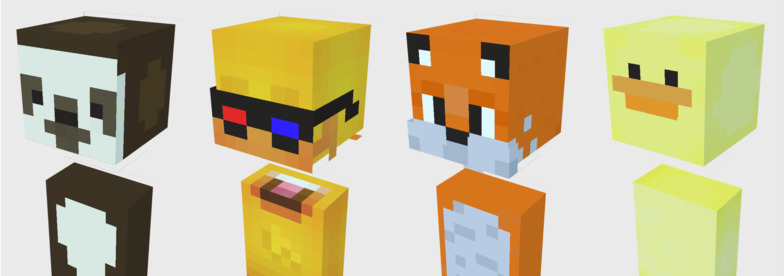
In Mozilla Hubs / Hubs Foundation codebases, avatar animation is not driven by a single centralized "avatar animation state machine." Instead, it is built from several smaller systems: glTF animation playback, IK, networked hand poses, and audio-driven feedback.
1. Imported glTF Animations
When a GLB or glTF model contains animation clips, Hubs creates a THREE.AnimationMixer for that model. The mixer is created by the gltf-model-plus component after the model has loaded.
The main playback component is loop-animation. It selects one or more animation clips and plays them with LoopRepeat and Infinity. In other words, the selected clip loops forever.
If no explicit clip is configured, the default behavior is to play the first animation clip, usually activeClipIndex 0. So if the first animation in your imported avatar is named Idle, that Idle animation will loop.
Important detail: this does not mean Hubs detects that the avatar is "not speaking" and then starts Idle. It simply means the configured/default loop animation plays continuously.
2. Avatar Body Motion Is Mostly IK
For avatars in a room, Hubs does not usually synchronize full skeletal animation data across the network. Instead, it synchronizes the transforms of the avatar rig, camera, and controllers.
The remote side receives those transforms and runs IK locally. This is how other users see your head, body, and hands move. The movement is reconstructed from input poses, not streamed as baked animation frames.
This design is efficient. It sends compact input data over the network and lets each client solve the avatar pose locally.
3. Hand Poses Are Networked as State
Hand animation is a special case. Hubs defines a networked-avatar component with two fields: left_hand_pose and right_hand_pose.
Local controller input writes to these fields. Remote clients receive the values through the Networked-AFrame schema and play the matching hand pose clips locally.
So hand animation is not synchronized as animation time or animation tracks. It is synchronized as a small state value, such as open hand, fist, point, or pinch.
4. Speaking Is Audio-Driven, Not Clip-Driven
Speaking animation in Hubs is not automatically implemented as "switch from Idle to Talk animation." Instead, Hubs receives or sends audio streams and uses audio analysers to estimate volume.
The networked-audio-analyser component calculates a volume value for remote avatars. The local-audio-analyser system does something similar for the local user.
That volume can then drive visual feedback, for example: scaling a speaking indicator, changing name tag speaking state, driving a mouth morph target through morph-audio-feedback.
This is useful for lip or mouth movement, but it is different from switching between full body animation clips.
5. What Gets Synchronized to Other Users?
For the remote-avatar template, Hubs synchronizes avatar rig position, rotation, and scale; camera position and rotation; left controller position, rotation, and visibility; right controller position, rotation, and visibility; player-info; networked-avatar.
It does not synchronize the current AnimationMixer clip, current animation time, or active AnimationAction by default.
This means that if you add a custom avatar animation state, you should synchronize the state, not the animation playback internals.
6. Can We Add Idle, Speaking, Thinking, Listening, and Other States?
Yes. The recommended approach is to add a small avatar animation controller.
The controller can read a state such as idle, listening, thinking, speaking, reacting.
Then it can find the matching THREE.AnimationClip and transition between clips using fadeOut, reset, fadeIn, and play.
For networking, add a field to networked-avatar, for example: animation_state: "idle".
Each client can then switch the local animation clip based on that state.
7. Suggested Architecture for Agent Avatars
For an AI agent avatar, a clean architecture would be: idle, listening, thinking, speaking, reacting, plus special events like wave, nod, confused, celebrate.
The agent logic should set a semantic state. The avatar animation controller translates that state into actual animation clips.
This separation keeps the system flexible and decoupled between AI logic and animation implementation.
8. Practical Notes
Keep Idle as fallback animation.
Use semantic states instead of raw clip names for networking.
Use audio-driven morph targets for mouth movement and clip switching for larger gestures.
Do not synchronize every animation frame; synchronize intent or state instead.
Summary
Hubs avatar animation is a hybrid system combining glTF looping animations, IK-based body reconstruction, networked hand states, and audio-driven speaking feedback.
The best design for richer avatars is to synchronize semantic animation states and let each client handle local playback and transitions.